Apr 21, 2026-Reviews
Context.dev Review - One API for Scraping, Logos & Brand Data
We've tested Context.dev, a unified Scraping API, Logo API and Brand API that turns any domain into structured, AI-ready data — with markdown crawling for LLMs and RAG, a Clearbit-style Logo Link, and a full Brand API to personalize SaaS onboarding.
Welcome to this Context.dev review 😊.
I first stumbled on Context last year, back when the product was still called Brand.dev. At the time, it was focused on brand data — logos, colors, company metadata — and I remember thinking "this is a really good idea, I could probably find use cases for Uneed." I bookmarked it and moved on.
Fast forward to today, and the product has evolved so much that it's barely recognizable. When I landed on their new landing page, implementation ideas started firing in my head faster than I could write them down. A scraping API for RAG pipelines. A logo CDN for our tool directory. Brand enrichment for onboarding. An AI query endpoint for competitive analysis. It kept going.
That's a rare feeling. Most developer tools solve one problem you already know you have. Context.dev is one of those products that opens so many new doors — lets you do so many things you hadn't even considered — that you actually need to stop and think. Not "how do I integrate this?" but "what should I build first?"
So what is Context.dev? It's a unified platform that bundles web scraping, markdown crawling, a Clearbit-style Logo CDN, and a full brand intelligence layer under one API, one SDK, and one credit pool. The tagline is "the #1 API to connect your apps to the web" — and after spending real time with the platform, I think that framing is honestly closer to the truth than most collapsed-category pitches I see.
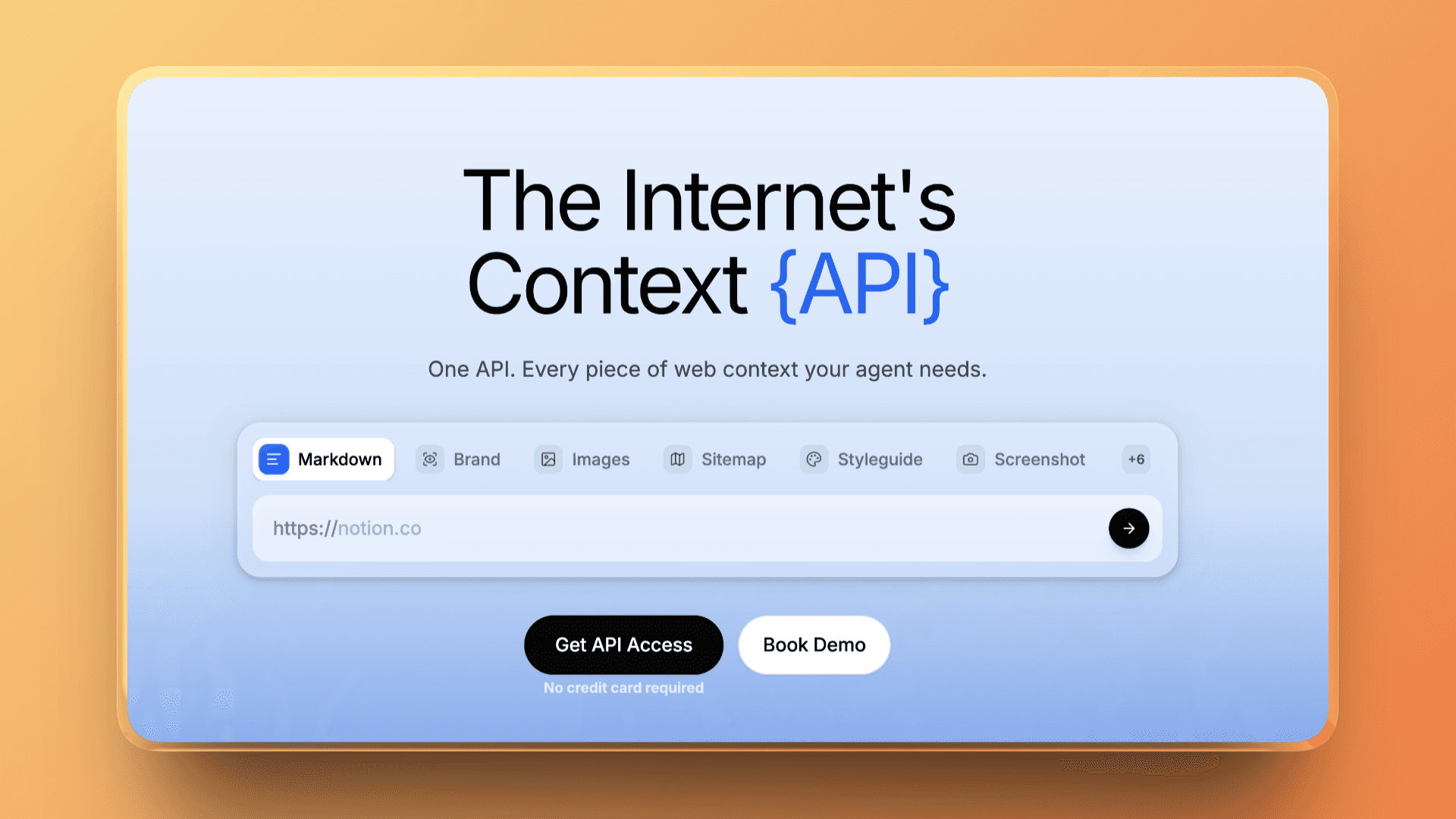
Context.dev isn't a tool you integrate to solve one problem. It's a building block that makes a whole category of features suddenly trivial to ship.
Now let's dive in!
The Scraping API — Clean Markdown for LLMs and RAG
The Scraping API is probably the most immediately useful piece of Context.dev. Point it at any URL and you get back clean, structured markdown — not raw HTML soup, but actual LLM-ready content with headings, lists, and links preserved.
If you're building a RAG pipeline, an AI agent, or any product that needs to reason about web content, this replaces the Puppeteer + Readability + html-to-markdown stack you were dreading to maintain. One API call, one credit, clean output.
But the real power move is the crawl endpoint. Instead of scraping pages one by one, you give it a domain and it follows the sitemap to index an entire site in a single call. That's the difference between "I can answer questions about this page" and "I can answer questions about this entire product." If you're building AI agents that need broad context about a company or a docs site, this is the endpoint you want.
There's also an AI Query endpoint that lets you ask a natural-language question about any page and get a structured answer. "What pricing plans does this company offer?" "What tech stack does this site use?" — useful for competitive intelligence, lead qualification, or powering an AI research assistant.
The Logo API — A Clearbit Replacement That Just Works
If you've ever needed to display company logos in a dashboard, an email template, or a CRM sidebar, you know the pain. Scraping favicons gives you blurry 16×16 icons. The Clearbit Logo API was the go-to solution — but it's been discontinued.
Context.dev's Logo API, called Logo Link, is the cleanest replacement I've found. It works like a CDN: you construct a URL like https://img.logo.dev/netflix.com, drop it in an <img> tag, and you get a high-quality square logo. No API key in the request, no authentication, no rate limits. It just works.
The free tier includes 10K Logo Link requests, and paid plans go up to 25M. For most use cases — showing logos next to company names in your app — this is a "set it and forget it" integration that takes about 30 seconds.
The Brand API — Personalize Your SaaS From a Single Domain
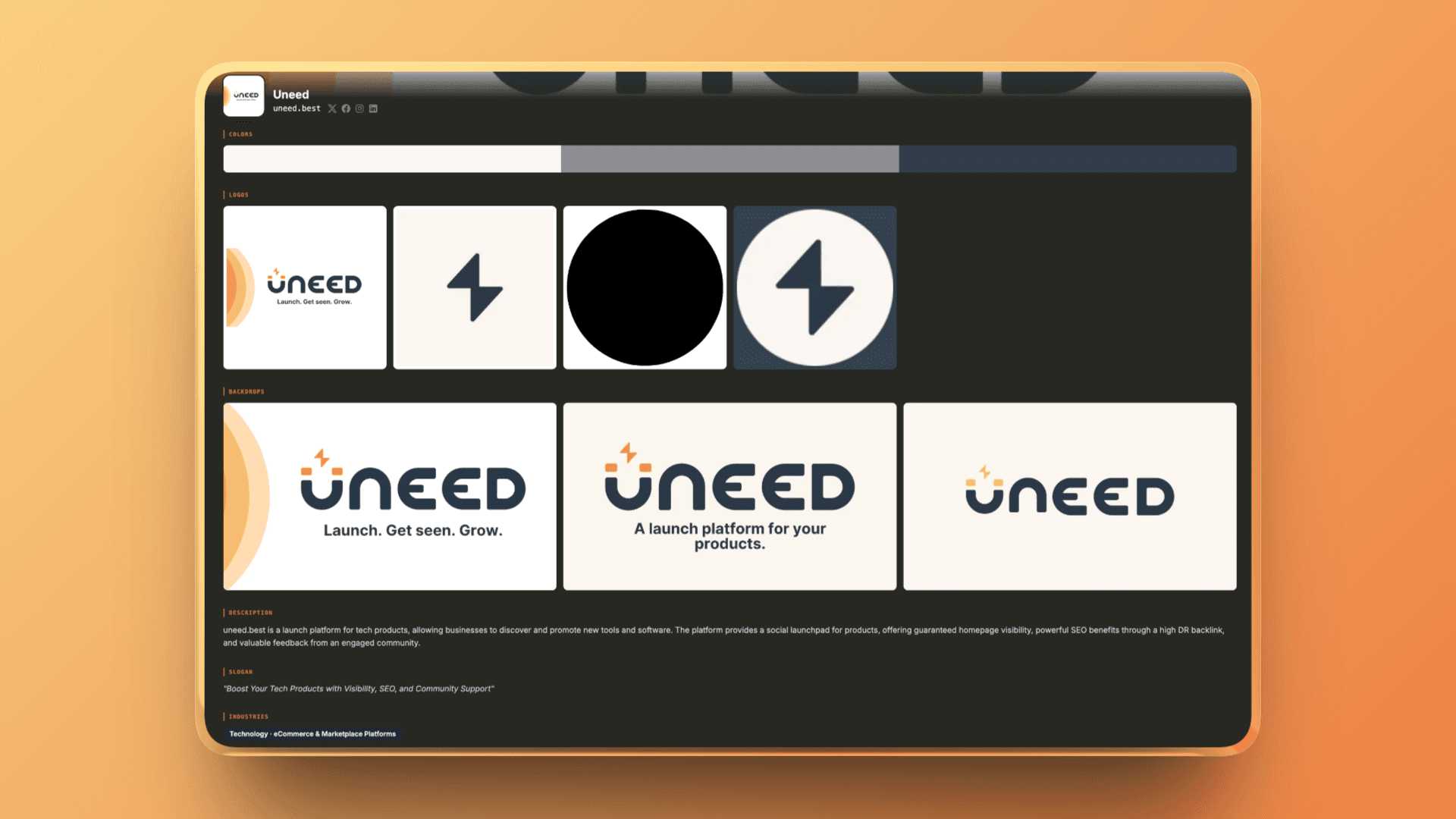
The Brand API is where Context.dev goes deepest. Give it a domain, an email address, a company name, or even a stock ticker, and it returns a full brand profile: logos in multiple formats and resolutions, brand colors, fonts, industry classification, social links, company description, and more.
The killer use case is SaaS onboarding personalization. A user types their work email into your signup form. One Brand API call later, you have everything you need to pre-fill their workspace — logo, brand colors, company name, industry. Step one of onboarding feels like magic instead of a chore.
It's also a goldmine for LLM-powered workflows. If you're building a generative AI product that needs to match a company's aesthetic — think personalized marketing copy, branded presentations, or white-label outputs — the Brand API gives you the structured data to make that happen.
Getting Started
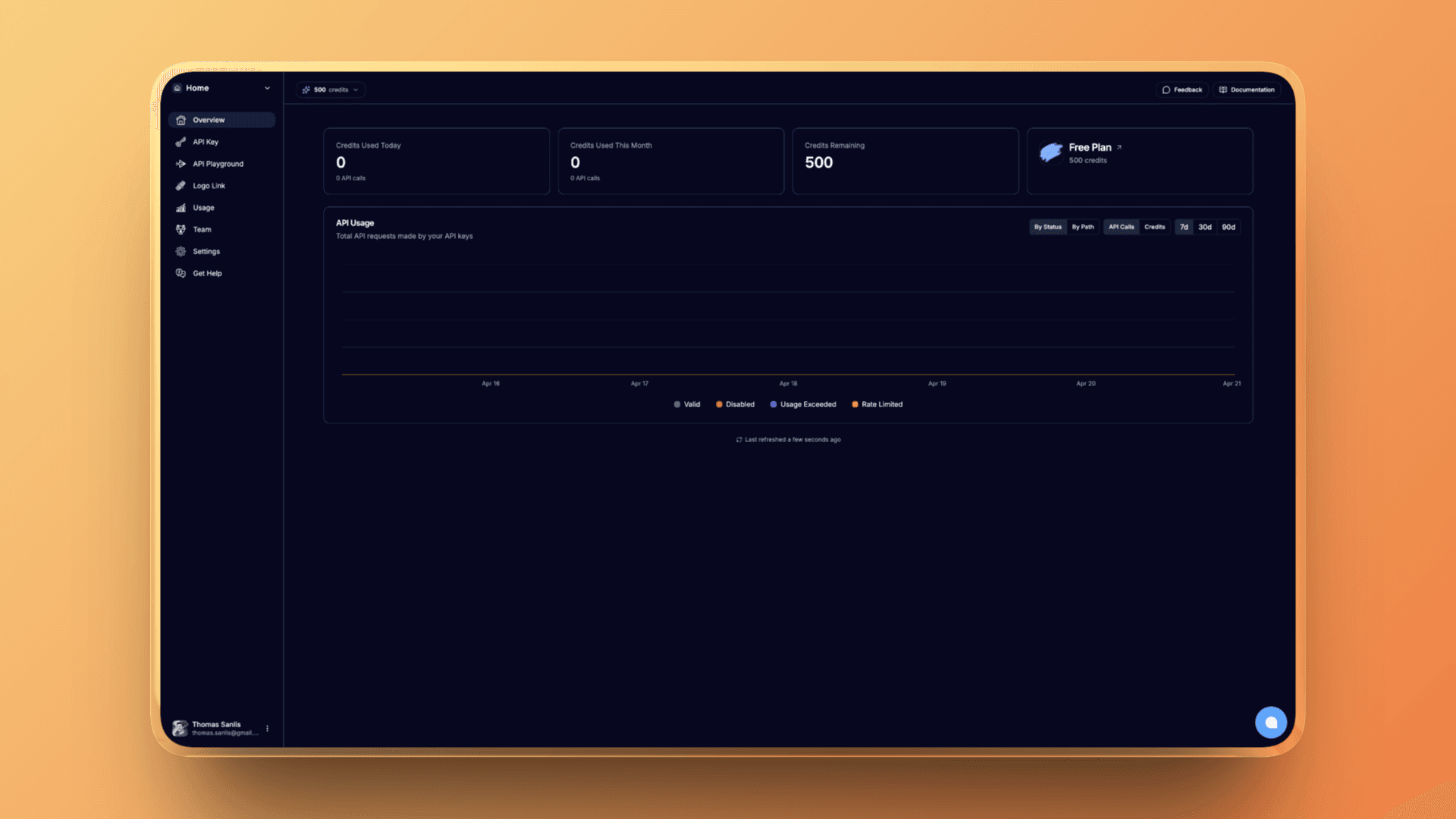
The dashboard is simple and opinionated. You get your usage metrics, plan information, settings, API keys, team management... and an API playground!
You can test all the endpoints directly from the dashboard, and you get a nice UI to display the results 🙌🏻!
Official SDKs are available for TypeScript, Python, and Ruby, plus no-code integrations with Zapier and Make, and a native MCP server — which matters a lot if you want to plug Context.dev directly into Claude or other MCP-aware agents without writing code.
There is even a few guides to help you get started,
What we're going to do in this review is to try to build a real-world thing with Context.dev: we will integrate it into Uneed's to personalize the creation of new products!
We will try as many endpoints as possible 👀.
Integrating Context.dev into Uneed
When you create a new product on Uneed, you first have to fill a short form with the name of your product, and its website URL.
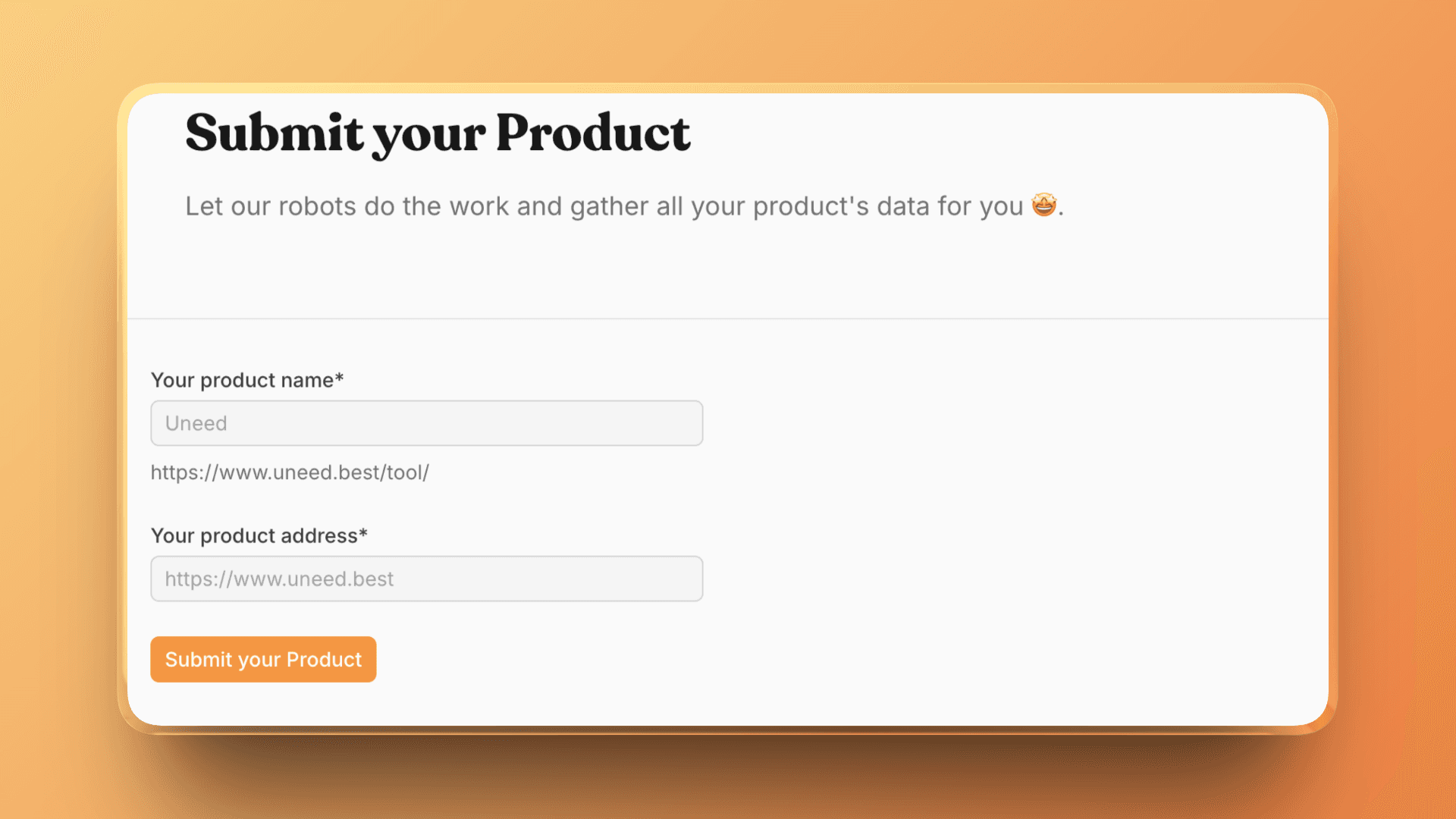
Our backend will then try to scrape your website to get the description, your logo, and your OG image. It works well, but there are a few issues:
- The logo is often of poor quality, as we're using the favicon
- Some websites are blocking our parser
- We're missing a few information like the industry, the pricing etc
Context.dev should help us with all of these issues. Here's what I used:
- Brand API — one call to get the company name, description, industry, social links, and pricing model
- Logo API (Logo Link) — replaced our favicon scraper with a simple
img.logo.dev/{domain}URL. High-quality square logos, no API call needed - Scraping API — for products where the Brand API doesn't return a description, we fall back to scraping the homepage and extracting the first paragraph as markdown
A few moments later...
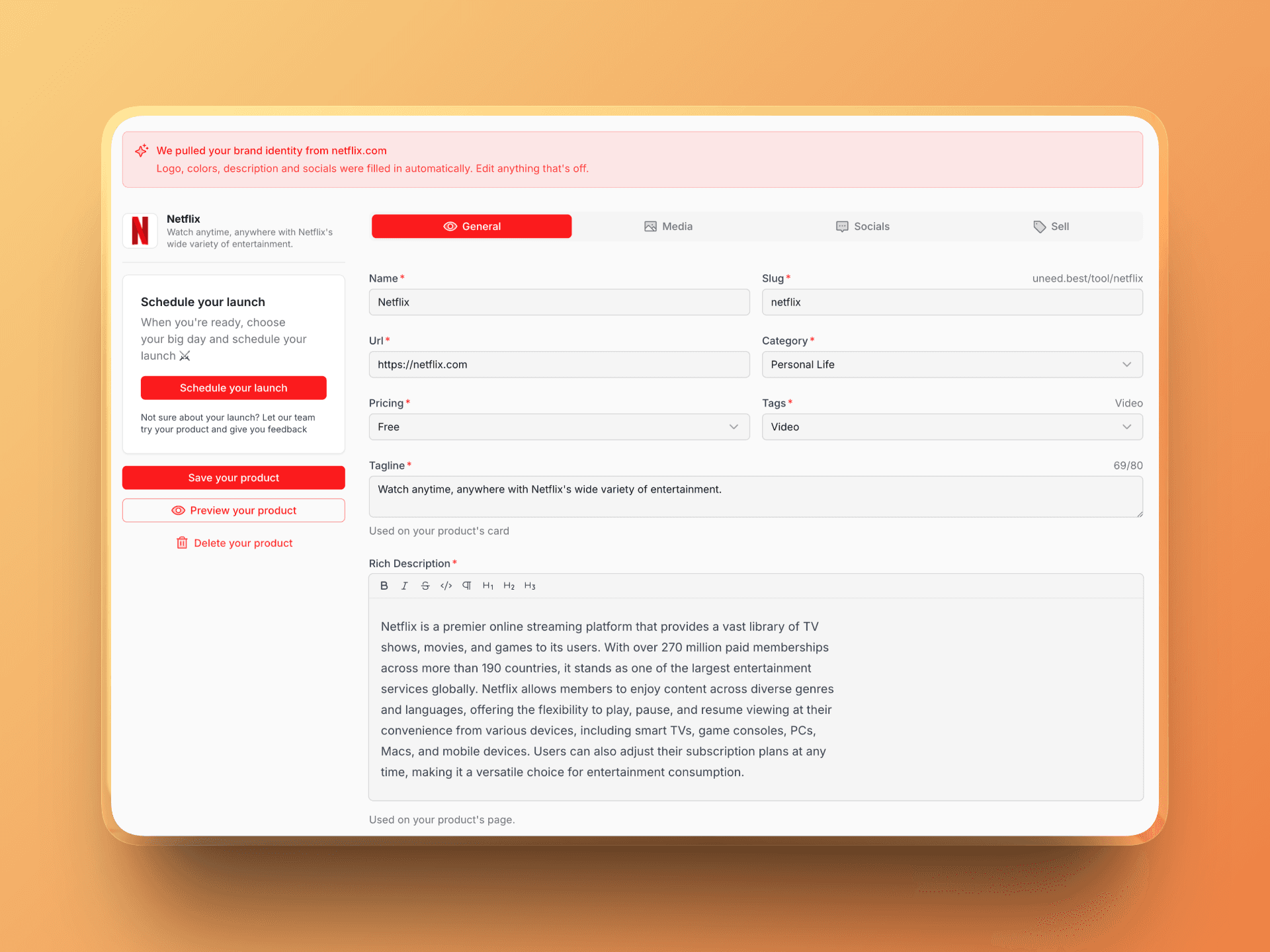
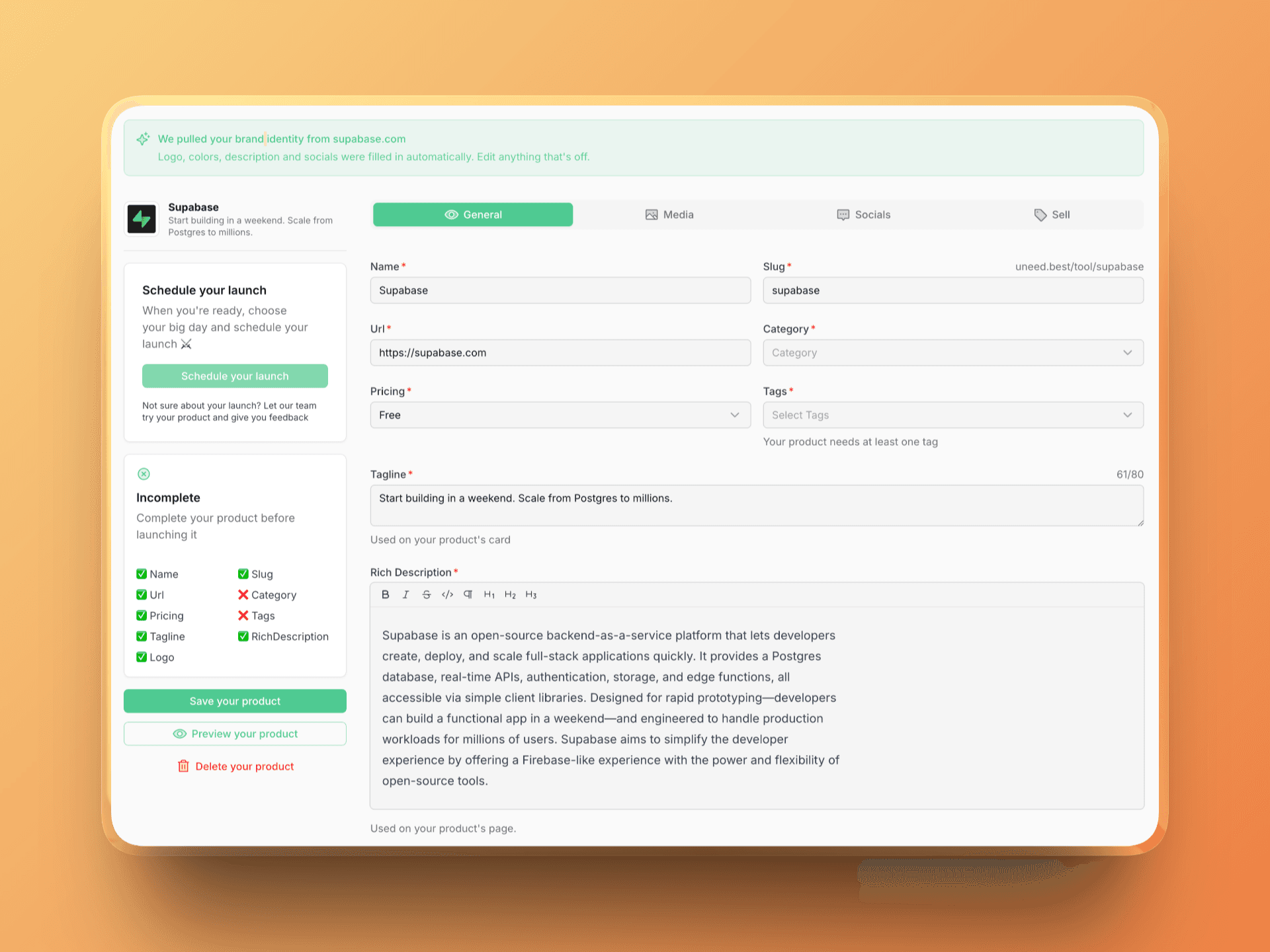
Not only we get more information, but the logo is now of much better quality, and it's way quicker than our previous sketchy scraper 😅. The Logo Link integration alone was a huge win — we went from blurry favicons to crisp, properly sized logos with a one-line URL change.
I only updated the UI, but with more work, we would detect the pricing, the tags and the category. We could also completely personalize the product page using the Brand API!
Pricing & Plans
Context.dev uses a straightforward credit model. Pricing is monthly, with a generous free tier for evaluation:
- Free — $0, one-time 500 API credits + 10K Logo Link requests, 1 call/sec, email support
- Starter — $49/month, 30,000 credits, 2 calls/sec, email support, $19 per 10K overage — 500K Logo Link requests included
- Pro — $149/month, 200,000 credits, 5 calls/sec, Email + Slack support, $9 per 10K overage — 2.5M Logo Link requests included
- Scale — $949/month, 2,500,000 credits, 20 calls/sec, Email + Slack + Text support, $6 per 10K overage — 25M Logo Link requests included
- Enterprise — custom volume, SLAs, dedicated support, and invoicing
Credit economics to internalize before picking a plan:
- Brand API calls (logos, colors, fonts, brand profiles, prefetch) — 10 credits per call
- Web/scraping endpoints — 1 credit per call
- Logo Link — separate quota, no rate limits, not billed against API credits
There's also a 30% discount for startups and nonprofits valid for one year, which is a nice touch if you're pre-revenue and just trying to ship.
My read on the pricing: if you're primarily doing scraping, you'll get a lot of runway on Starter. If you're doing brand enrichment at scale (thousands of signups per month, each triggering a brand lookup), you'll want Pro — the 10-credit brand call cost means 30K credits gets eaten faster than it looks on paper. Run your expected volumes through a quick spreadsheet before committing.
Who Should Use Context.dev?
Context.dev is a strong fit for:
- AI teams building RAG pipelines or agents that need a reliable Scraping API with markdown output and proper sitemap/crawl support without building their own scraper
- SaaS products with B2B onboarding that want to personalize signup with logos, colors, and company metadata from an email or domain
- Teams replacing the discontinued Clearbit Logo API and looking for a Logo API that behaves like a CDN rather than an enterprise data vendor
- Fintech and expense tools that need transaction identification and industry classification as a managed service
- Generative AI apps that want to feed an LLM real-time brand context so outputs match a specific company's aesthetic
- Indie builders and startups who qualify for the 30% discount and want one vendor instead of three
It's less obviously the right fit if you only need a narrow capability (e.g. you just want raw HTML scraping with zero brand features, or a pure logo CDN with nothing else) and you've already invested in a competing vendor that covers that slice at a cheaper price. Single-purpose tools will sometimes beat the blended platform on that specific axis — the Context.dev pitch only clicks if you actually use two or three of the three pillars.
Conclusion
That's the end of this Context.dev review. The short version: this is a rare example of a developer platform where the bundled story is real, not marketing. The Scraping API is good enough to replace Firecrawl-style tooling for most RAG pipelines. The Logo API (Logo Link) is genuinely the most frictionless Clearbit replacement I've tested. And the Brand API goes deep enough — with domain, email, name, and ticker lookups — to power the SaaS personalization flows that most teams only half-build because stitching together three vendors isn't worth the effort.
What I liked:
- Three distinct product surfaces — Scraping API, Logo API, Brand API — under one platform, one SDK, and one credit pool
- Logo Link's direct-URL, no-rate-limit design is exactly what developers want from a logo CDN
- Clean Markdown output from the scraping endpoints makes it a drop-in fit for LLM and RAG workflows
- Brand API lookups by domain, email, company name, ticker, or ISIN — far more flexible than domain-only competitors
- Generous free tier (500 API credits + 10K Logo Link requests) with no credit card required
- Official TypeScript, Python, and Ruby SDKs, plus native MCP, Zapier, and Make integrations
- Transparent credit pricing (1 credit/scrape, 10 credits/brand call) and 30% startup discount
Things to keep in mind:
- First-time brand lookups can take 10–30 seconds for uncached domains — use the Prefetch endpoint for latency-sensitive paths
- Brand data is refreshed quarterly by default, so fast-rebranding companies may need manual refresh requests
If you're building anything that needs structured web data — a RAG system, an AI agent, a SaaS onboarding flow, or a CRM enrichment layer — Context.dev is one of the cleanest single-vendor answers to "how do I connect my app to the web" that exists today.
Related Articles